Contact Information:
Instructor: Jon F. Sykes E2-3307, x33776
Lectures: Monday 11:30 - 12:50 @ E2-3356
Thursday 11:30 - 12:50 am @ E2-3356
Course Outline:
Assignment 1 - Due January 23
decision of the United States Court of Appeals
Note: you may want to watch the movie "Civil Action" (or read the book by Jonathan Harr)
Assignment 2 - Due February 24
Assignment 2 - question sheet
Assignment 2 Tutorial see me if you need help!
Assignment 2/bnpd_2.DXF - use for plotting
TOPLIME.DAT GEOEAS data for top of limestone
GROUND.DAT GEOEAS data for ground surface
TILLTH.DAT GEOAS data for overburden thickness
Post data for bedrock for use in MAP/SURFER
SURFER: OPTION 1: download zipped software using right click and "save target as"
setup command is on "disk1"
(the software is also on NEXUS but could be listed as Golden Software)
OPTION 2: download the following directory into C:\
put a shortcut on your desktop for surfer32.exe and ignore the OLE message
GEOEAS: IF YOU HAVE A 64 BIT COMPUTER, USE THIS OPTION:
1. download the windows version (or other as appropriate) of DOSBOX from the site below and install on your C:\ drive
http://www.dosbox.com/download.php?main=1
note that you will have a shortcut on your desktop
2. download the following zipped directory and install on your c:\ drive
I installed GEOEAS and HELP3 in directories! The data for assignment 2 are in the GEOEAS directory as well. The
users manual (20013HOK.PDF) for GEOEAS is in the GEOEAS directory as well. :)
3. open dosbox on your desktop; this will open a DOS window and indicate that you are reading drive z:\
4. change the drive in the DOS window from z:\ to c:\ using the command z:\>mount c c:\dosbox_c_drive
change to the c:\ drive: z:\>c:
5. change to the GEOEAS directory using c:\>cd GEOEAS
6. open GEOEAS with the command c:\GEOEAS> GEOEAS
note that you can write and read files most easily if they are in a file directory in c:\GEOEAS
Assignment 3 - Due March 6
This unit develops the recharge boundary condition using HELP 3
Tutorial Notes for Assignment 3
WEATHER STATION DATA FOR REFERENCE ONLY:
Help3 input files for Laurel Creek; note that data are included in the assignment 2 zipped dosbox_c_drive file
Precip.D4 - daily precipitation (mm)
Temp.D7 - daily temperature (degC) ** file updated 2003.03.14
Solar.D13 - daily solar radiation (MJ/m^2)
The data is for 40 years from Jan 1960 to Dec 1999.
THE HELP3 MODEL:
HELP Model - Engineering Documentation For Version 3
HELP Model - User’s Guide For Version 3
IF YOU HAVE A 64 BIT COMPUTER, USE THIS OPTION:
The appropriate files were included in the Help3 directory included in the assignment 2 dosbox_c_drive zipped file
IF YOU HAVE A 32 BIT COMPUTER, YOU CAN USE THIS OPTION:
1. extract user.zip, userno.zip, Tape3a.zip, Tape3n.zip within a directory on your computer
2. run HELP.bat
Assignment 4 - Due April 10 (or earlier if possible)
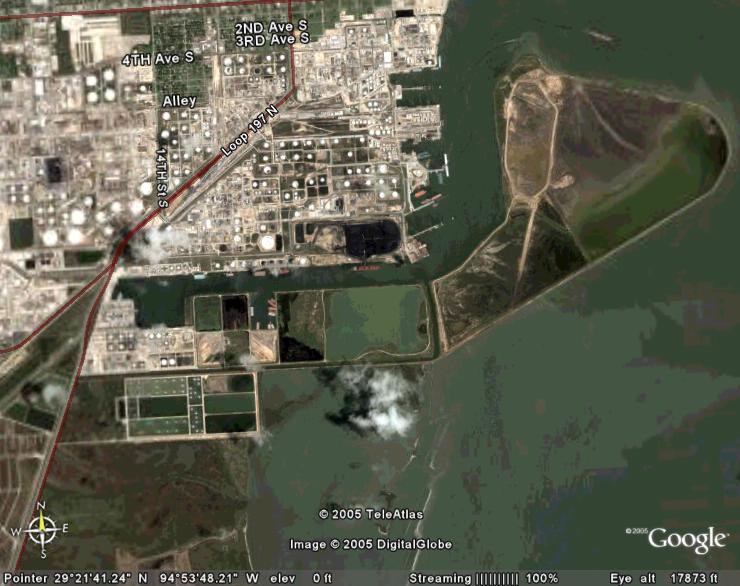
This assignment will require you to run SWIFT 3 as an executable in a DOS Window and to run Visual Modflow.
FILES REQUIRED FOR SWIFT3:
compiler libraries for SWIFT3 place in same directory as executable
texas.dxf base map
TEXAS.BLN base map
TEXAS.D swift3 input file
comb.exe use to covert SWIFT3 output to file suitable for plotting
vec.exe use to plot velocity vectors
VECSURF.DAT sample data set
FILES REQUIRED FOR VISUAL MODFLOW:
MODEL DOCUMENTATION:
Assignment 5 - Due April 10 (or earlier if possible)
Assignment 5
mass balance model.pdf description of source term
solution c13.pdf analytic solution
Assignment 5/advdis.dat sample data set
C13 source.exe executable for analytic solution
SOURCE.FOR model source code
Supplemental Notes log normal distributions and 6 sigma
Papers to Read
Appropriate vertical discretization of Richards' Equation
Jyrkama and Sykes (2007) - climate change
Chapter 28 - Groundwater Handbook - climate change